7 Signs Your Business Has Outgrown Its Existing Software
Slow workflows, fragile integrations, and rising maintenance costs can signal deeper problems. Discover when your software starts holding your business back.

Most software does not fail overnight. It slowly becomes harder to change, harder to trust and harder to explain. The business keeps growing, but the system that supports it stays shaped around the company as it was a few years ago.
The tricky part is that the symptoms rarely look like “software problems” at first. They show up as missed deadlines, frustrated staff, nervous release days and a growing collection of spreadsheets. Leaders feel the friction long before anyone puts a name on it.
I have worked in software for 10+ years, and a good part of that time has been spent inside products that were successful enough to outgrow their original design. On a US corporate meal benefits platform, I led the migration of a large legacy AngularJS application to modern Angular, route by route, while the team kept shipping features. That experience, and others like it, taught me that the warning signs are surprisingly consistent from one company to the next.
Here are seven of them. If several sound familiar, it is worth taking a closer look.
In short
- Outgrown software rarely fails overnight. It shows up as missed deadlines, nervous releases and a growing pile of spreadsheets.
- The seven signs: slow changes, risky releases, an outdated platform, manual workarounds, fragile integrations, knowledge held by one or two people, and a system that cannot support new plans.
- Each sign comes with a practical first step.
- A full rewrite is rarely the best first move. Assess, prioritize by business impact and modernize incrementally.
1. Small changes take weeks
What it looks like
Someone asks for a new field on a form, a tweak to a report or a change in a pricing rule. It sounds like a day of work. The estimate comes back as two or three weeks, and even then the team sounds unsure.

Over time, the business stops asking. People learn that “simple” requests are not simple, so ideas die before they reach the backlog.
Why it happens
As software grows without regular cleanup, its parts become tightly connected. Business logic gets duplicated in several places. Nobody is fully sure what a change will affect, so developers spend most of their time reading, tracing and double-checking rather than building.
What it costs
Slow change is a direct tax on every initiative. Competitors who can adjust faster win the opportunities you are still estimating. I wrote more about this in the real cost of technical debt.
First step
Practical tip
Ask your team to list the last ten requests that took far longer than expected and where the time actually went. Patterns appear quickly.
2. Releases feel risky and things break in unrelated places
What it looks like
Deployments happen late at night or get postponed “just to be safe”. A fix in billing somehow breaks a notification email. The team relies on a few people clicking through the app manually before each release.
Why it happens
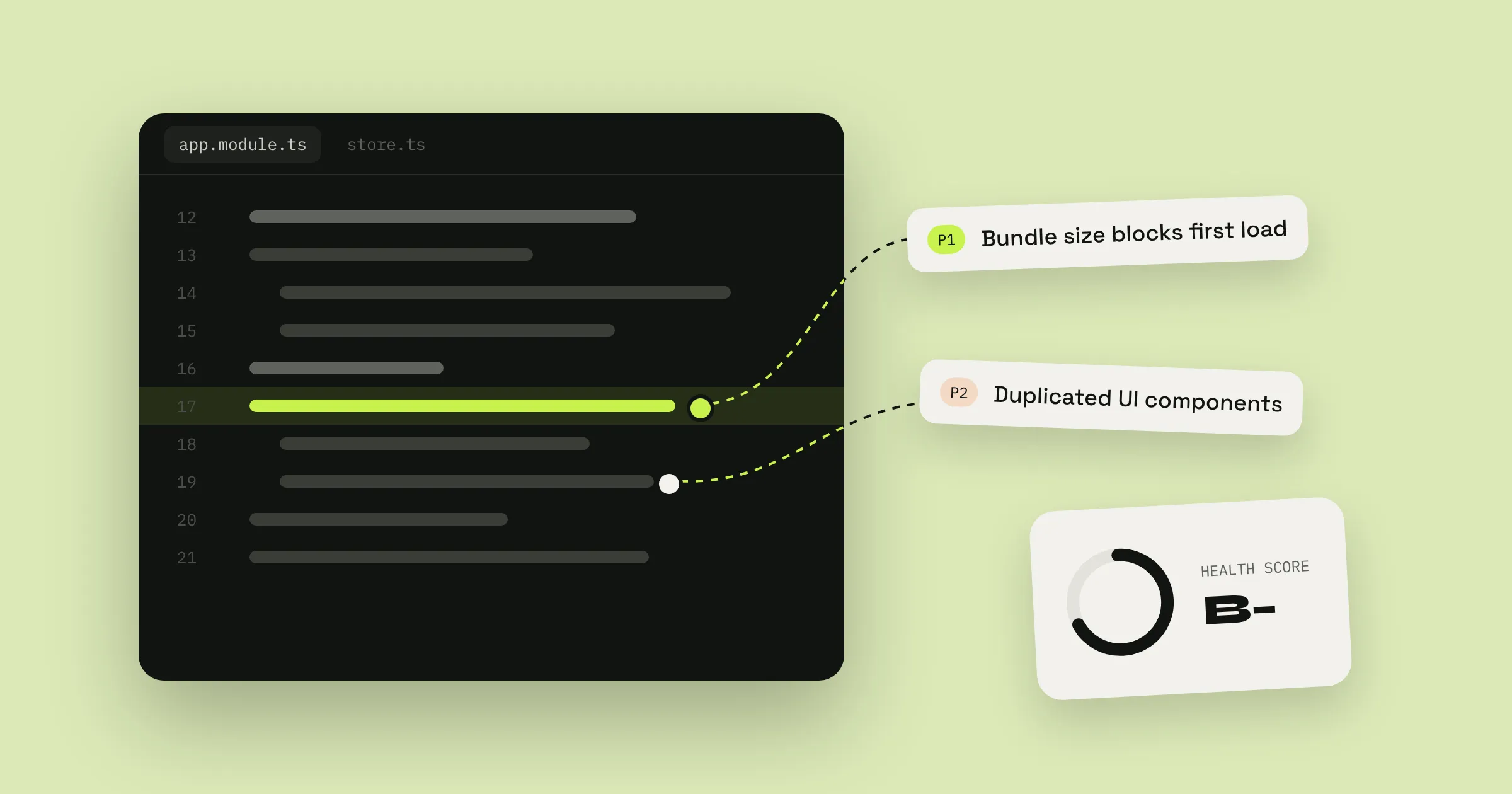
This usually comes down to two things: hidden dependencies between parts of the system, and a lack of automated tests. Without tests, the only way to know whether something still works is to check it by hand, and humans miss things, especially under time pressure.
What it costs
Risky releases lead to fewer releases. Fewer releases mean bigger batches of change, which are even riskier. Customers see more bugs, support gets more tickets and the team becomes cautious to the point of paralysis.
First step
Start with a safety net, not a rewrite. When I joined teams with this problem, adding unit tests and end-to-end tests around the most critical user flows (we used Jasmine, Karma and Cypress) and improving the CI/CD pipeline made releases calmer well before any larger architectural work began.
3. The framework or platform is outdated or unsupported
What it looks like
Your developers mention that the framework is “old” or “end of life”. Security updates have stopped. New libraries do not support your version. Hiring gets harder because experienced candidates do not want to work with the stack.
Why it happens
Every technology has a lifecycle. AngularJS, for example, reached end of support in January 2022, yet many products built on it were still running and earning money long after. Upgrading always competes with feature work, so it gets postponed until it becomes urgent.
What it costs
Unsupported platforms carry security and compliance risk that grows every month. They also slow down development, because the team cannot use modern tools and has to write workarounds for problems that newer versions have already solved.
First step
Practical tip
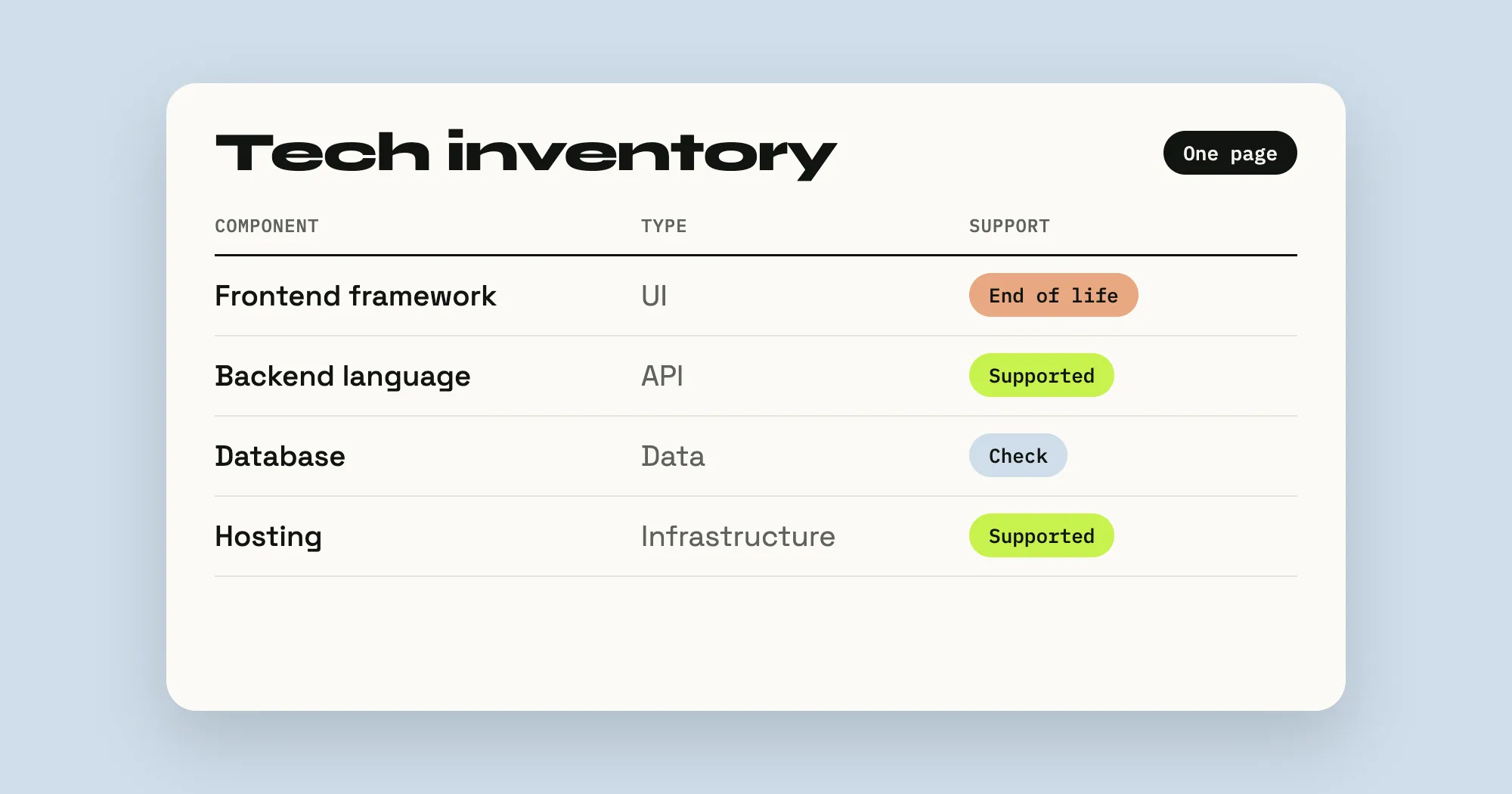
Make an inventory: list the main frameworks, languages, databases and hosting platforms you rely on, with their support status. This single page is often the most useful document a leadership team can have about its software.
4. Manual work and workarounds pile up around the software
What it looks like
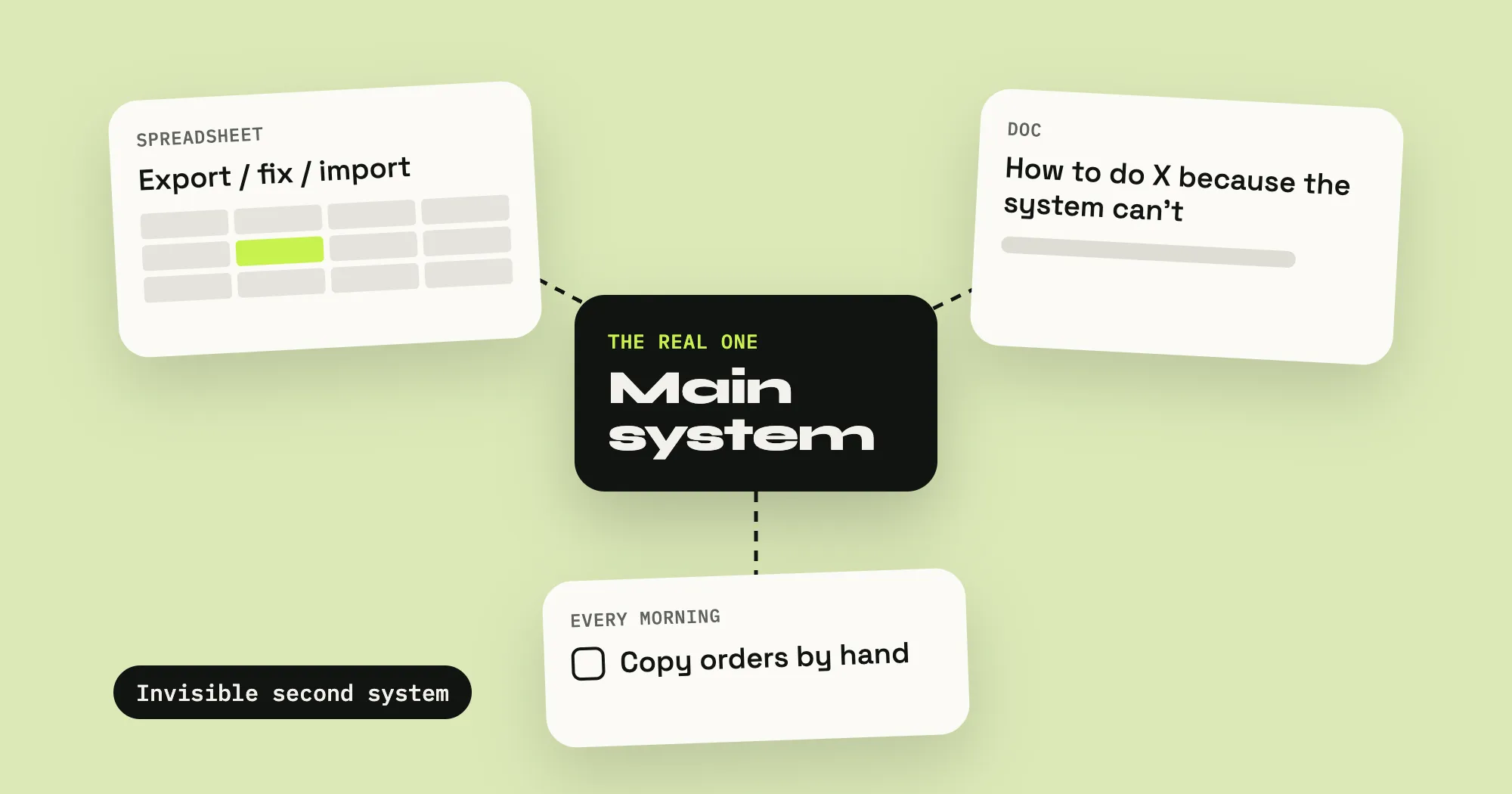
Staff export data to spreadsheets, fix it by hand and import it back. Someone copies order details from one tool into another every morning. There is a shared document titled “how to do X because the system can’t”.
Why it happens
When software cannot keep up with how the business actually works, people fill the gaps themselves. Each workaround seems small and reasonable. Together, they become an invisible second system that nobody designed and nobody maintains.
What it costs
Manual work is slow, error-prone and hard to scale. It also hides the real cost of the software, because the price shows up in salaries and mistakes, not in the IT budget.
First step
Spend an hour with the people who do this work. Ask them to show you every step outside the main system. The list will tell you exactly where the software no longer fits.
5. Integrations are fragile
What it looks like
The connection to your payment provider, CRM, accounting tool or partner API breaks every few weeks. Data arrives late, twice or not at all. When a third party changes something on their side, your team scrambles.
Why it happens
Many integrations start as quick connections built for a single purpose. They often lack proper error handling, retries, monitoring or clear ownership. As more tools get connected, the web of dependencies becomes difficult to understand.
From practice
The AI-powered SaaS product I co-founded connects a Chrome extension, a web app, subscriptions, and Slack and Telegram notifications. I have learned that integrations deserve the same design attention as any core feature, because users experience them as part of the product.
What it costs
Broken integrations damage trust with customers and partners, create data quality problems and pull engineers away from planned work into constant firefighting.
First step
List every integration, who owns it and how you find out when it fails. If the honest answer is “a customer tells us”, that is where to start.
6. Knowledge sits with one or two people
What it looks like
Certain parts of the system can only be touched by one developer. When that person is on vacation, work stops. New hires take a long time to become productive and keep asking the same questions.
Why it happens
Complex, undocumented systems naturally concentrate knowledge. The people who built them carry the map in their heads. Without clear architecture, documentation and consistent standards, there is no easy way to share that map.
As a technical lead, and later leading a frontend chapter, a large part of my job was hiring, onboarding and mentoring engineers. I saw again and again that onboarding speed is a good indicator of system health.
A clear codebase teaches newcomers. A tangled one requires a guide.
What it costs
This is a business continuity risk. If a key person leaves, you may lose the ability to change critical parts of your product safely. It also limits how fast you can grow the team.
First step
Identify the areas only one person understands. Pair others with them on real tasks there, and capture the essentials in short, practical documentation.
7. The software cannot support where the business is going
What it looks like
Leadership wants to launch a new product line, enter a new market, add a mobile app or serve much larger customers. The answer from the team is “the system was not built for that”.
Why it happens
Software reflects the assumptions made when it was designed. A system built for one region, one pricing model or one type of customer often has those assumptions baked deep into its structure. Changing them later touches almost everything.
What it costs
This is the most expensive sign, because it limits strategy itself. The business either delays its plans or builds something separate on the side, which creates yet another system to maintain.
First step
Write down your plans for the next two to three years and ask a simple question for each one: what would the software need to do differently? That turns a vague concern into concrete requirements.
What to do next
If you recognized several of these signs, the natural reaction is to want a fresh start. I understand the impulse, but a full rewrite is rarely the best first move. It is expensive, it pauses visible progress and it tends to recreate old problems in new code. I compare the options in more detail in modernize vs rebuild.
A calmer, more reliable path usually looks like this:
Where to start
- Start with an assessment. Before deciding anything, understand the current state: architecture, code quality, test coverage, dependencies, integrations, team knowledge and delivery process. This gives you facts instead of opinions.
- Prioritize by business impact. Not every problem needs fixing. Focus on the areas that slow down revenue, create risk or block your plans. A messy module nobody touches can wait.
- Modernize incrementally. Replace or improve the system piece by piece while the business keeps running. On the meal benefits platform, we migrated the legacy application route by route, so customers kept getting new features throughout. In some cases, we rebuilt specific apps from scratch with modern architecture, lazy loading and proper state management, but only where that was clearly the better option.
- Build the safety net early. Automated tests and a reliable CI/CD pipeline make every later step less risky.
- Measure progress in business terms. Faster delivery, calmer releases, fewer manual steps and easier onboarding matter more than technical milestones.
This is the approach I follow in software modernization projects. The goal is not new technology for its own sake. The goal is software that helps the business move instead of holding it back.
Summary
Software rarely announces that it has been outgrown. Instead, you notice that small changes take weeks, releases feel risky, the platform is aging, workarounds multiply, integrations break, knowledge is concentrated in a few people and new plans keep hitting technical walls.
Any one of these signs is worth watching. Several together usually mean it is time for a structured look at your system and a clear, incremental plan.
If you would like an outside view, I am happy to help. Through technology consulting, I can review your current software, explain what I find in plain language and help you decide what to modernize first, and what can safely wait.