AngularJS to Angular Migration: A Field Guide from a Production Platform
AngularJS is past end of support, but many products still run on it. Here is how to migrate a production application to modern Angular while the business keeps shipping.
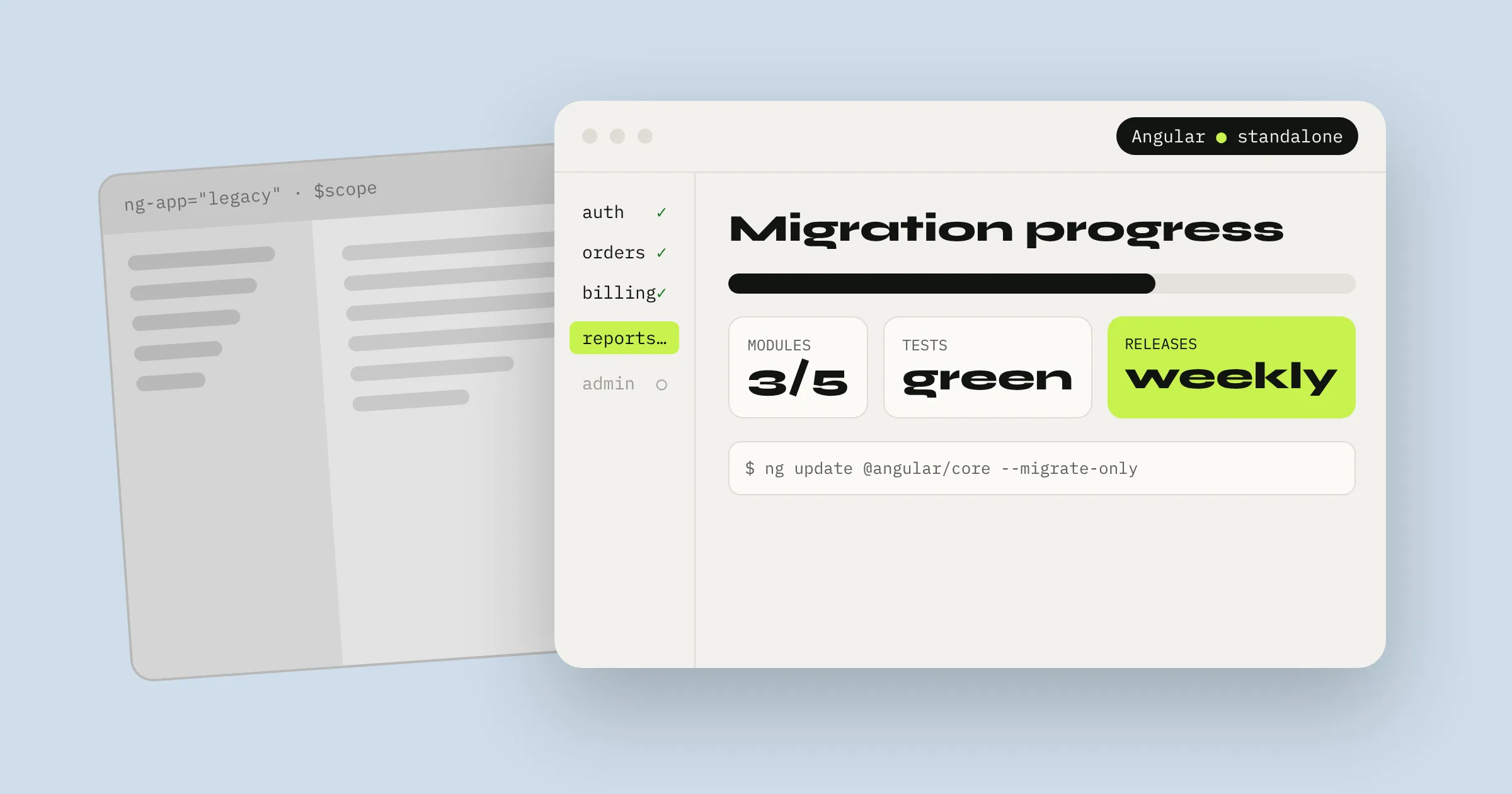
AngularJS reached end of support in January 2022, yet plenty of AngularJS applications are still quietly running payroll, logistics, internal tools and customer-facing products. On a US corporate meal benefits platform, I migrated a legacy AngularJS application to modern Angular route by route, while the team kept delivering features the whole time.
This is the guide I would hand to a team about to start the same journey: what actually works on a production system that cannot stop.
In short
- An AngularJS application is a growing business risk: security, delivery, hiring and cost.
- Choose between a big-bang rewrite, a hybrid with ngUpgrade, or a strangler by route; most business apps suit the strangler approach.
- Make the old code migratable first: components instead of
$scope, logic in plain services, TypeScript, and behavior-level tests. - Migrate in vertical slices, ship every slice, and report progress in business terms.
- Plan for the traps: the long tail of odd screens, two routers, bundle bloat and a split team.
Why this is a business decision, not just a technical one
For founders, CTOs and product leaders, an AngularJS application is not a code style problem. It is a risk that grows every month:
- Security and compliance. An unsupported framework no longer gets official security fixes. Every audit and every enterprise customer questionnaire becomes harder to answer.
- Delivery continuity. The ecosystem has moved on. Libraries stop supporting AngularJS, and simple changes start taking longer than they should.
- Hiring and knowledge. Fewer engineers want to work in AngularJS, and the people who understand the old code become a single point of failure.
- Cost. Every month on the old stack adds to the cost of technical debt, even when nothing visibly breaks.
The goal of a migration is to remove that risk without creating a new one: a long feature freeze, a risky cutover day, or a rewrite that never quite finishes.
First decision: rewrite, hybrid, or strangler?
There are three honest options, and the right one depends on variables that have little to do with code:
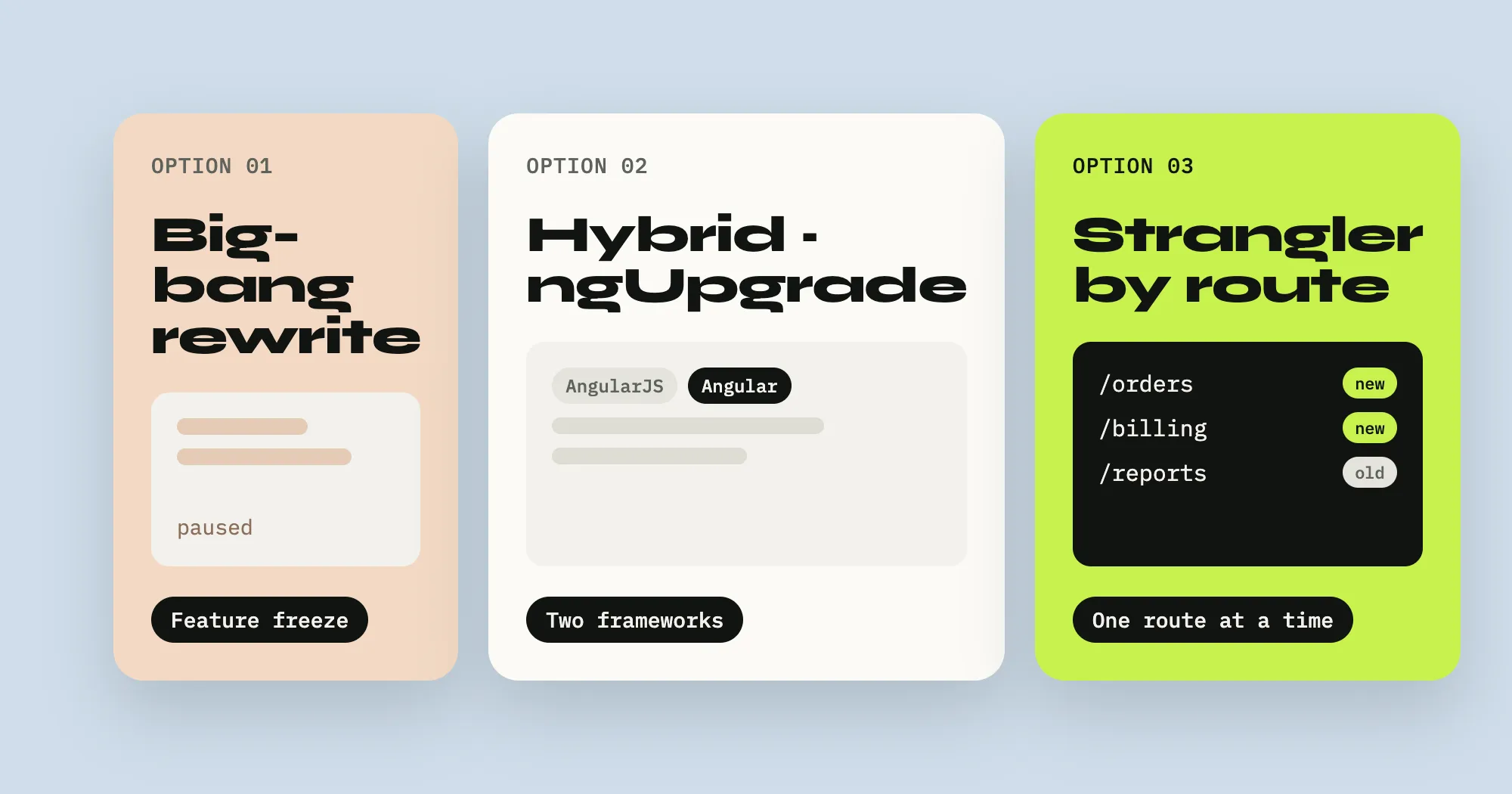
- Big-bang rewrite. Only sensible when the app is small (weeks, not months, of rebuild) or the business can tolerate a feature freeze. For a large production app, a multi-quarter freeze is usually a non-starter, and rewrites tend to take longer than the estimate.
- Hybrid with ngUpgrade. Run AngularJS and Angular on the same page and migrate component by component. Powerful, but you pay a permanent tax while it lasts: two frameworks in the bundle, two change-detection systems to reason about, and a class of bugs that only exists at the boundary.
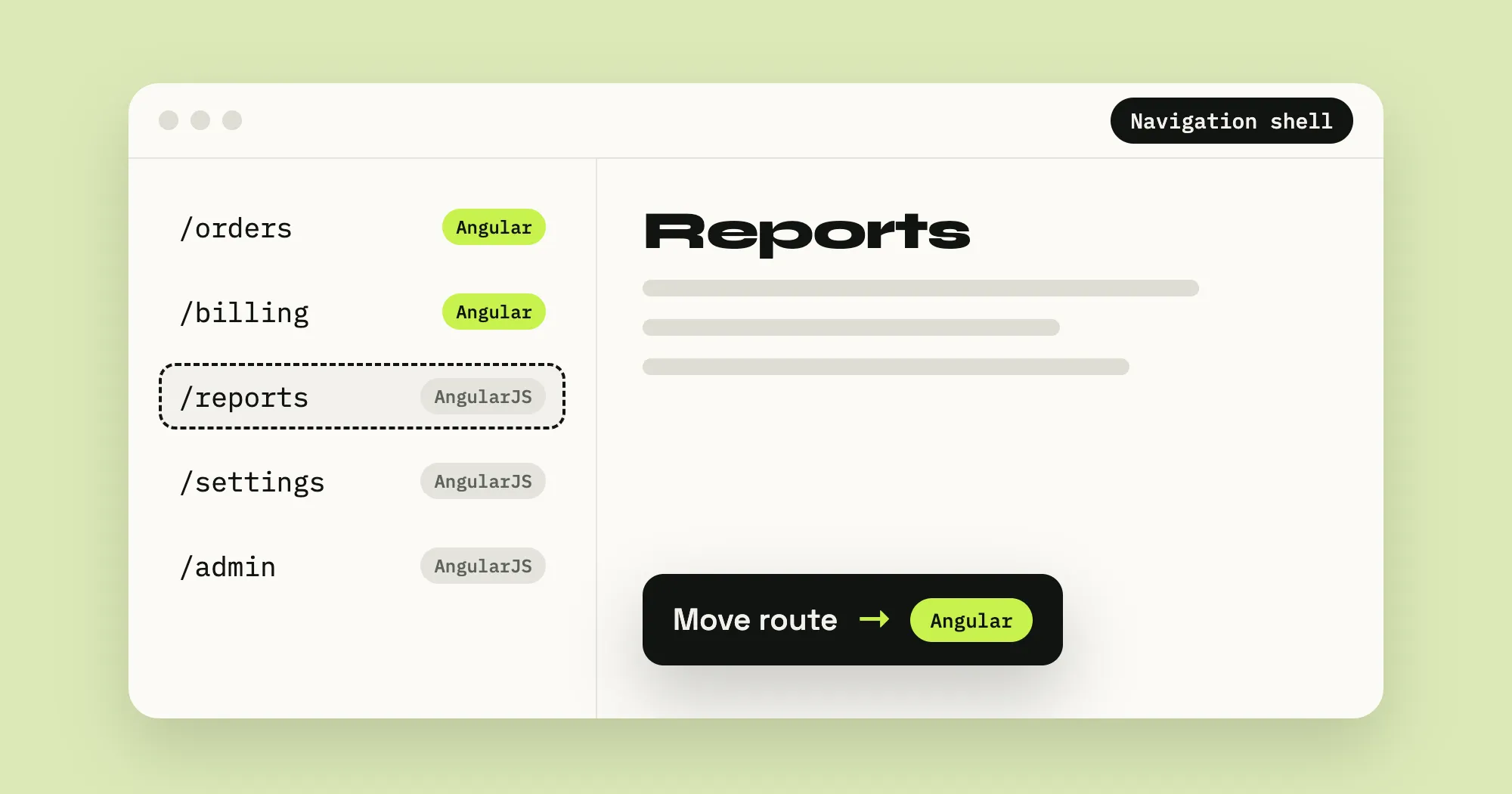
- Strangler by route. Keep the old app intact, build new screens in a new Angular app, and move routes over one at a time behind the same navigation shell. Coarser-grained than ngUpgrade, but each migrated screen is fully modern, with no boundary layer to debug.
On that platform we moved the main application route by route. Separately, two other Angular applications were rebuilt from scratch with a modern architecture, lazy loading and state management, because in those cases starting fresh was simpler than reshaping what existed.
Rule of thumb
Use ngUpgrade when your screens are deeply interwoven, and a strangler approach when your app decomposes into routeable areas. Most business applications do. If you are still deciding between evolving the system and replacing it, I cover the broader framework in modernize or rebuild.
Before you migrate a single component
The migration itself is the second half of the project. The first half is making the old code migratable.
1. Get rid of $scope first
Convert AngularJS controllers to controllerAs syntax and to components (.component()) while still inside AngularJS. Every component you modernize this way becomes a near-mechanical port later.
2. Move logic out of the framework
Business logic that lives in plain TypeScript services does not care which framework calls it. Every line you move out of directives and controllers is a line you migrate almost for free.
3. Introduce TypeScript before Angular
AngularJS runs fine under TypeScript. Getting types in early surfaces the implicit contracts that you would otherwise discover as production bugs in the middle of the migration.
4. Write characterization tests on the flows that pay the bills
Authentication, checkout, data integrity. You do not need coverage everywhere; you need it where a regression costs money.
From practice
We added unit tests with Jasmine and Karma and leaned heavily on end-to-end tests with Cypress, because E2E tests check behavior through the browser and survive a framework swap. Unit tests written against AngularJS internals do not. Improving the CI/CD pipeline at the same time made it possible to ship small migration steps often and with confidence.
Sequencing that keeps the business calm
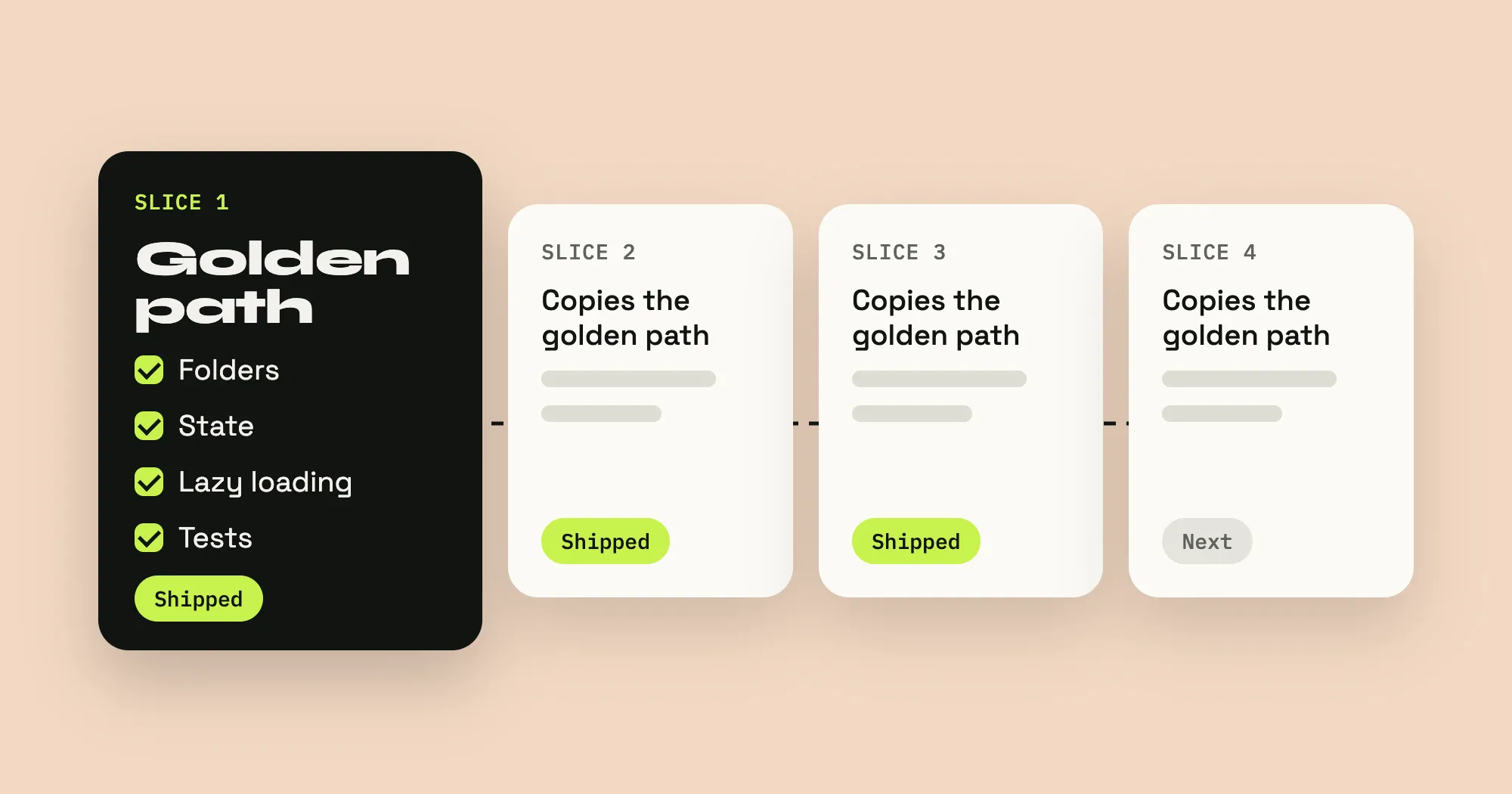
The pattern that makes this survivable: migrate in vertical slices, and ship every slice.
- Start with the least-coupled routeable area, not the most important one. Your team’s first slice is a learning exercise. Do not learn on checkout.
- Establish the “golden path” on slice one. Folder structure, state management, lazy-loading boundaries, testing conventions. Every following slice copies it. This is where experience pays off most: a well-defined golden path is what drives migration speed for everything that follows.
- Share a design system early. If old and new screens look different, users file bugs about the migration instead of not noticing it. The best migration is one users never see.
- Report progress in business terms. “Screens migrated out of screens total” means more to stakeholders than story points. Stakeholder patience is a finite resource, so spend it deliberately.
The traps, so you can step around them
The long tail of weird
Watch out
The first large share of screens tends to migrate on rails. The last part hides years of accumulated hacks: the jQuery plugin wrapped in a directive, the $rootScope event bus, the directive that patches another directive. Budget far more time for the last screens than their number suggests.
Two routers fighting
In hybrid setups, the AngularJS router and the Angular router both want to own the URL. Decide the owner explicitly and make the other one a guest.
Bundle bloat during the transition
For a while you are shipping two frameworks. Set a performance budget at the start, lazy-load aggressively, and treat the day AngularJS leaves the bundle as a milestone. Removing an entire framework from what users download is one of the clearest technical payoffs of the whole effort, so measure before and after.
The team split
If one squad does “the migration” while others do “features”, the feature squads keep adding AngularJS code behind you. Everyone migrates. New code in the old framework should be a lint error, not a code review debate.
What “done” looks like
The end state is more than “no AngularJS in package.json”. Done means:
- one framework in the bundle;
- lazy-loaded route boundaries;
- a test suite the team trusts, running in a reliable CI/CD pipeline;
- and, the part I care about most, an architecture the next engineer can read without an archaeology degree.
For the business, done means the product is back on a supported foundation, the team can deliver at a normal pace again, and future changes stop carrying a hidden legacy tax.
The same playbook transfers well beyond AngularJS. Splitting a monolith into modules, or taking over a frontend after the original team or agency has left, follows the same principles: make the old code migratable, build a safety net of behavior-level tests, move in small slices that ship, and keep the business informed in its own terms.
Getting an outside view
If you are looking at an AngularJS application, or any legacy frontend, and a roadmap that will not wait, the hardest part is often deciding where to start and what to leave alone. I have been working in software for 10+ years, and I help founders, CTOs and product leaders assess legacy systems and plan migrations that keep the product shipping.
You can read more about my software modernization work, or reach out through technology consulting if you would like a second opinion on your migration plan before you commit to it.