Modernize or Rebuild? How to Make the Right Software Decision
A complete rewrite isn't always the answer. Learn how to evaluate legacy software, compare modernization options, and make decisions that balance cost, risk, and long-term value.
Sooner or later, most growing businesses reach the same conversation. The application that got you here is slowing you down. New features take longer than they should, the framework is outdated, a few people understand the critical parts, and someone in the room says: “Should we just rebuild it?”
It is a fair question. It is also one of the most expensive questions to answer by instinct. I have been working in software for 10+ years, and I have been on both sides of this decision: migrating a large legacy application step by step while the product kept shipping, and rebuilding applications from scratch when that was the better path. Neither approach is right by default. The right answer depends on a handful of factors you can actually assess.
This article gives you a practical way to make that call.
In short
- It is rarely a choice between two options. There are at least five, and good plans often combine them.
- The old system holds years of business rules that a rewrite has to rediscover.
- Decide per system or module: business value, code health, support status, team knowledge, risk and the need to keep shipping.
- Build a safety net of tests first, then start with one contained slice.
Why this decision is harder than it looks
A rebuild sounds clean. You get a fresh codebase, modern tools, no legacy compromises. Modernization sounds slower and less exciting.
The problem is that the old system is not just code. It holds years of business rules, edge cases, customer workflows, integrations and fixes for problems nobody remembers anymore. When you rebuild, you have to rediscover all of it. When you modernize, you keep it, but you also keep some of the mess.
So the real question is not “old or new”. It is “what is the safest way to get from where we are to where we need to be, without stopping the business?”
The options you actually have
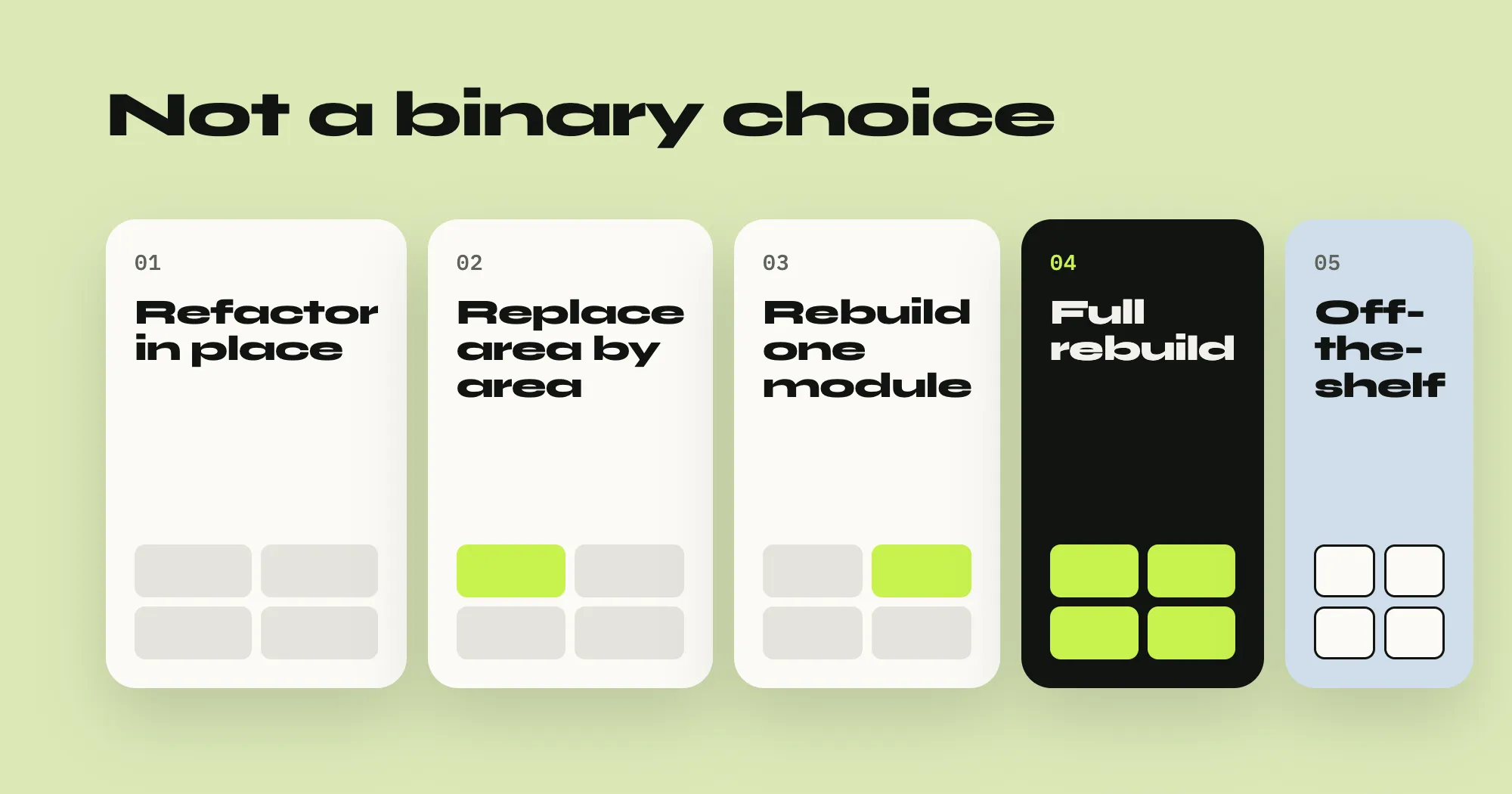
Most teams frame this as a binary choice. In practice there are at least five options, and the best plan often combines two or three of them.
1. Incremental modernization (refactoring in place)
You keep the system and improve it continuously: upgrade dependencies, clean up the worst areas, add tests, simplify architecture where it hurts most. This works well when the core design is still reasonable and the main problems are accumulated shortcuts and outdated libraries.
2. Strangler-style replacement, area by area
You build new parts alongside the old system and move users over one area at a time: a route, a screen, a service, a workflow. The old system shrinks until it can be switched off. The business keeps working the whole time.
3. Partial rebuild of a module
Sometimes one part of the system is the real problem: billing, reporting, a specific integration, an admin panel. Rebuilding only that module, with a clear boundary to the rest, can remove most of the pain at a fraction of the risk of a full rewrite.
4. Full rebuild
You build a new system from scratch and migrate to it. This is the right choice in some situations, for example when the technology is no longer supported and cannot be upgraded, when the product has changed so much that the original design no longer fits, or when the application is small enough that rebuilding is genuinely cheaper than untangling it.
5. Replace with an off-the-shelf product
If the software does something that is not unique to your business, such as internal ticketing, basic CRM or standard content management, a mature commercial or open-source product may serve you better than any custom code. The question to ask is honest: does this system create a competitive advantage, or is it plumbing?
| Option | Best when | Main risk |
|---|---|---|
| Incremental modernization | Core design is sound, problems are local | Never finishing, if not tied to clear goals |
| Strangler-style replacement | System is large and business-critical | Running two systems in parallel for a while |
| Partial rebuild | One module causes most of the pain | Poorly defined boundaries with the rest |
| Full rebuild | Platform is dead, or the product has outgrown the design | Long period with no visible value, lost business rules |
| Off-the-shelf | The function is not a differentiator | Fitting your process to someone else’s product |
The criteria that should drive the decision
When I help a team with this choice, I look at the same set of questions every time. None of them is about which framework is trendy.
How much business value still lives in the system?
If the application encodes complex pricing, permissions, compliance rules or workflows that customers depend on, that value is easy to lose in a rewrite. The more hidden business logic there is, the stronger the case for keeping and evolving what works.
How healthy is the codebase?
Not “is it old”, but: can a competent engineer understand a part of it in reasonable time? Are there clear modules, or is everything connected to everything? Are there any automated tests? An old but well-structured codebase is often easier to modernize than a newer one built in a hurry.
Is the technology still supported?
This is one of the strongest signals. When a framework reaches end of support, you stop getting security fixes and the ecosystem moves on. AngularJS, for example, reached end of support in January 2022, and teams still running it had to plan a migration whether they wanted one or not. If your stack has a supported upgrade path, modernization is usually viable. If it does not, some form of replacement becomes necessary, although it can still be done incrementally.
Does the team understand the system?
If the people who built it are still around and can explain why things work the way they do, modernization is much safer. If knowledge is gone, any approach will involve discovery work, and a rebuild done without that discovery is where requirements quietly get lost.
How much risk can the business tolerate?
A system that processes payments, orders or customer data every day has a very different risk profile from an internal reporting tool. The more critical the system, the more you want small, reversible steps.
Can you afford to pause feature delivery?
This is the question that usually decides it. A full rebuild almost always means a long period where most effort goes into recreating what already exists. If your market, customers or investors expect continuous progress, an approach that lets you keep shipping is worth a lot.
What about data and integrations?
Data migration and third-party integrations are where many projects underestimate effort. Map these early. They often shape the plan more than the application code does.
The common traps of a full rewrite
I am not against rebuilds. I have led them, and they were the right call. But I have also seen the patterns that make them go wrong, and they are worth naming.
Where rewrites go wrong
- The “second system” effect. A rewrite becomes a chance to fix every frustration at once. Scope grows, and the new system tries to be far more ambitious than the old one.
- Moving target. The business does not stop while you rebuild. The old system keeps getting urgent fixes and features, and the new one has to catch up with a target that keeps moving.
- Lost business rules. Edge cases handled in the old code are not in any spec. They show up as bugs after launch, often reported by customers.
- Long time without visible value. Stakeholders see cost long before results, and support weakens just when it needs to hold.
- Big-bang cutover. Switching everything at once concentrates all the risk on a single day.
Most of these traps have the same root cause: too much change released at once, with too little feedback along the way.
What incremental replacement looks like in practice
From practice
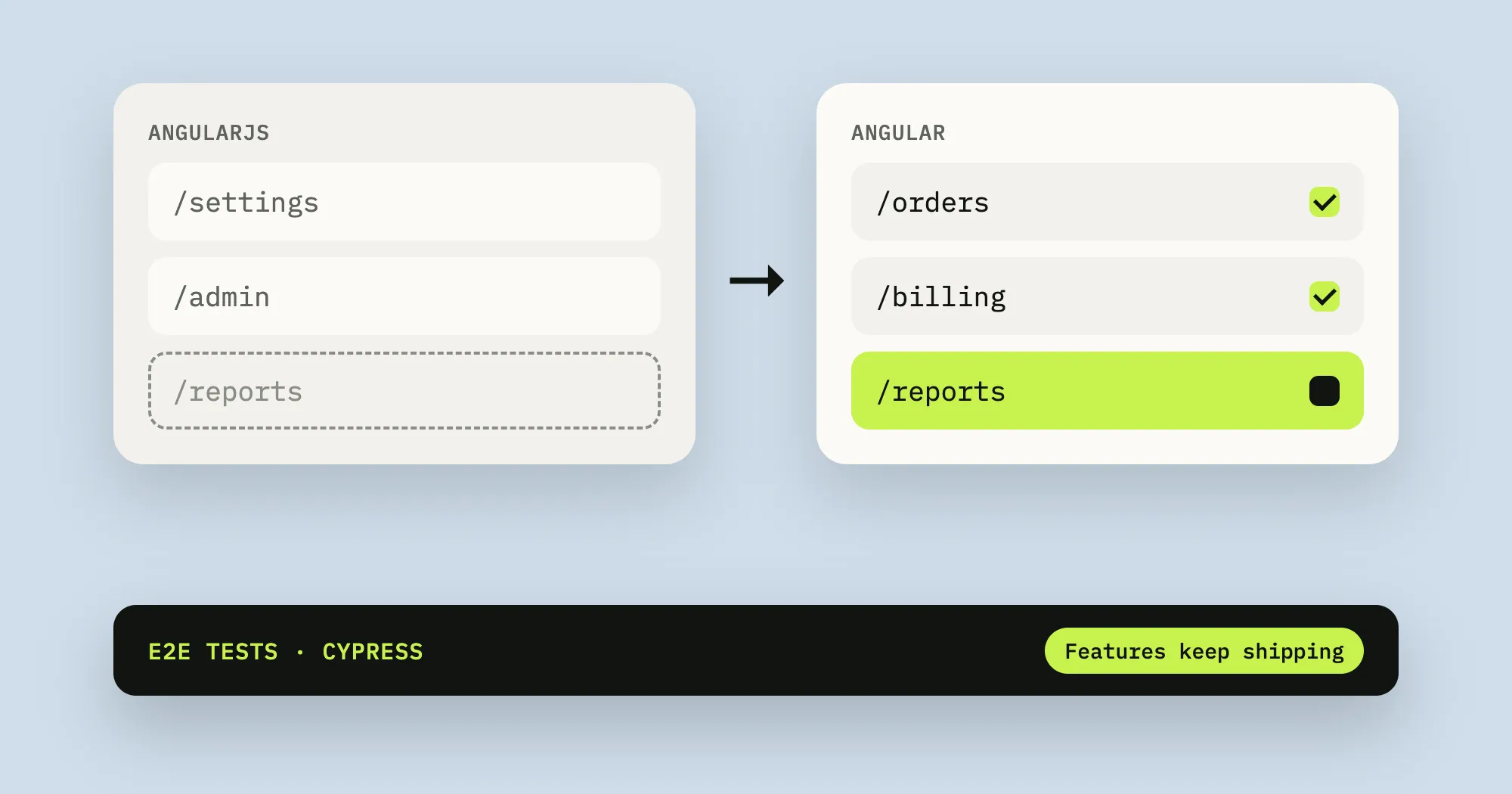
On a US corporate meal benefits platform where I led the frontend chapter, I worked on migrating a large legacy AngularJS application to modern Angular. We did not stop and rewrite it. We moved it route by route, so new and old code ran side by side, and the team kept delivering product features throughout the migration. The full story is in the case study.
A few things made that work:
- Clear boundaries. Routes gave us natural units of migration. Each one could be moved, tested and released on its own.
- Tests that survive the change. We invested in unit tests and end-to-end tests with Cypress. End-to-end tests were especially valuable because they test behavior through the browser, not implementation details. They kept working when the underlying framework changed, which made them a safety net for the whole migration.
- Better CI/CD. Reliable pipelines meant small migration steps could ship frequently with confidence.
The same team also rebuilt two other Angular applications from scratch, with modern architecture, lazy loading and proper state management. In those cases a rebuild made more sense: the applications were contained enough, and starting fresh was simpler than reshaping what existed. Same people, same company, different answers, because the situations were different.
That is the main lesson I take from it. The decision is made per system, and sometimes per module, not as a company-wide philosophy.
A step-by-step way to decide
If you are facing this decision now, here is the sequence I recommend.
Step 1: Define the business goal first
Write down what has to improve and why. Faster delivery of features? Lower security risk? Ability to hire engineers? Better performance for customers? A modernization effort without a business goal tends to drift. A clear goal also tells you when you are done.
Step 2: Run a technical assessment
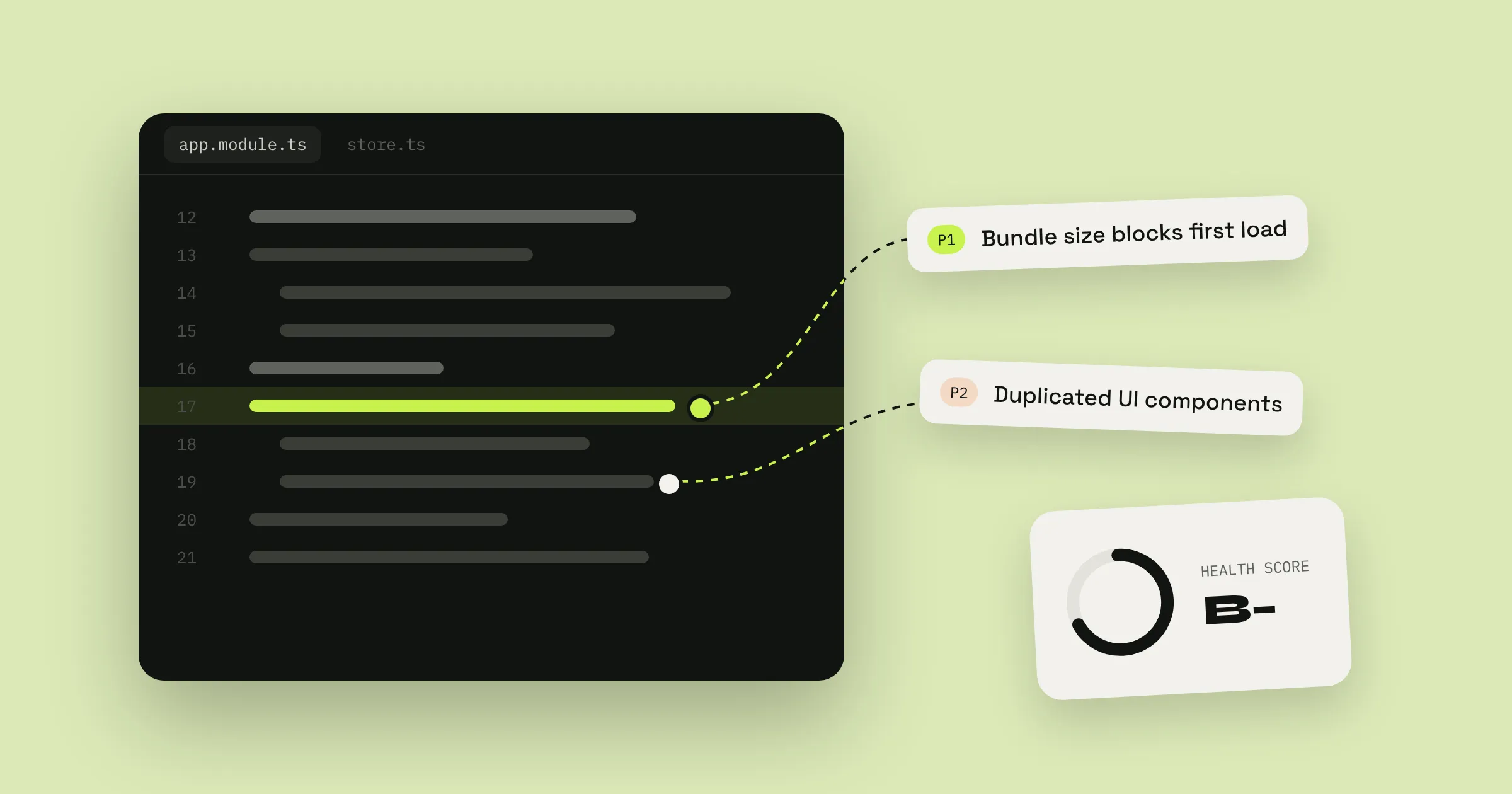
Before anyone writes new code, look at the current system honestly: architecture, code quality, test coverage, dependency and framework support status, deployment process, data model and integrations. Talk to the engineers who work in it every day. If you are still unsure whether you even need this step, I wrote about the signs your business needs software modernization.
Step 3: Map the system into areas
Break the application into parts with their business value, health and risk. You will usually find that a few areas cause most of the problems, while large parts are stable and fine. This map is what lets you consider partial and incremental options instead of all or nothing.
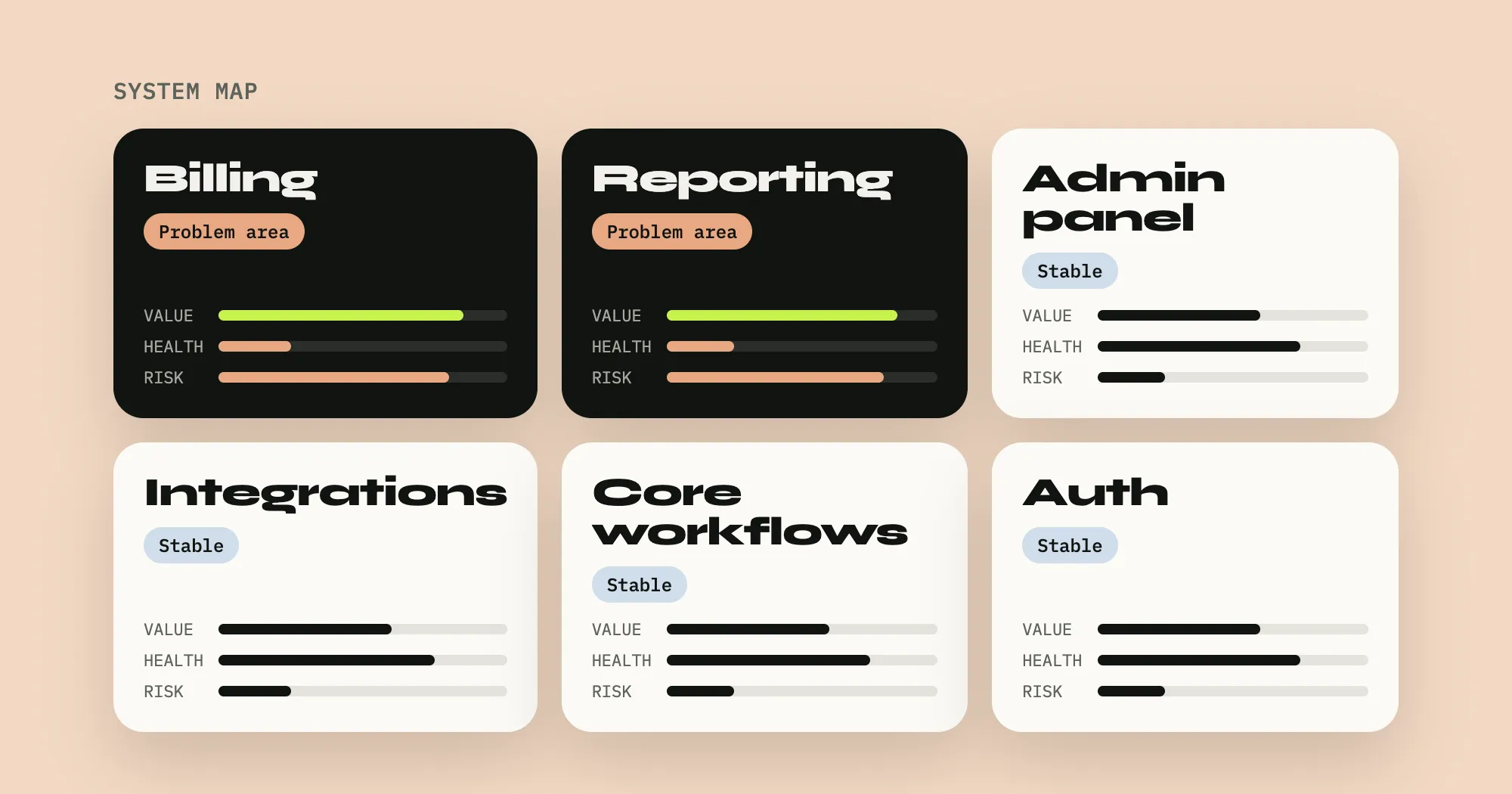
Step 4: Compare options per area
For each problem area, ask which of the five options fits. Keep and refactor? Replace step by step? Rebuild the module? Buy instead of build? Write down the trade-offs in plain language.
Step 5: Build a safety net before big changes
Add automated tests around critical flows, especially end-to-end tests of the things customers and revenue depend on. Improve the deployment pipeline so changes can ship in small, reversible steps. This investment pays off regardless of which path you choose.
Step 6: Start with one contained slice
Pick an area that matters but is not the riskiest, and modernize or replace it first. You learn how long things really take and where the hidden complexity is, before committing the whole budget.
Step 7: Review and adjust
After the first slice, revisit the plan. A good modernization plan is updated as you learn, not fixed at the start.
When a full rebuild really is the right call
To be fair to the other side, a full rebuild is often justified when several of these are true at once:
- The platform has no supported upgrade path and cannot be migrated piece by piece.
- The application is relatively small and its behavior is well understood.
- The product direction has changed so much that most existing workflows will not survive anyway.
- The business can accept a period of slower feature delivery.
- There is a realistic plan for data migration and cutover, ideally in stages.
Practical tip
Even then, I would still recommend rebuilding in phases where possible, releasing to a subset of users first and keeping the old system available until the new one has proven itself.
Key takeaways
- “Modernize or rebuild” is rarely a binary choice. Incremental modernization, strangler-style replacement, partial rebuilds, full rebuilds and off-the-shelf products can all be part of one plan.
- Decide based on business value in the system, codebase health, technology support status, team knowledge, risk tolerance, the need to keep shipping, and data and integrations.
- Full rewrites fail most often because too much changes at once. Small, reversible steps with real feedback reduce that risk.
- Tests that check behavior, especially end-to-end tests, are one of the best investments before any migration.
- Start with an assessment, not with code. The cost of a few weeks of clear thinking is small compared with the cost of technical debt or a rebuild that goes in the wrong direction.
If you are weighing this decision for your own product, an outside view can help. I work with founders and technical leaders to assess legacy systems and choose a path that fits the business, not just the technology. You can learn more about my software modernization work, or reach out through technology consulting if you would like a second opinion before you commit.