Building an AI Chrome Extension: Manifest V3 Lessons from Production
What Manifest V3, AI APIs and Chrome Web Store review actually demand from an extension's architecture, and the patterns that held up while building an AI SaaS product.
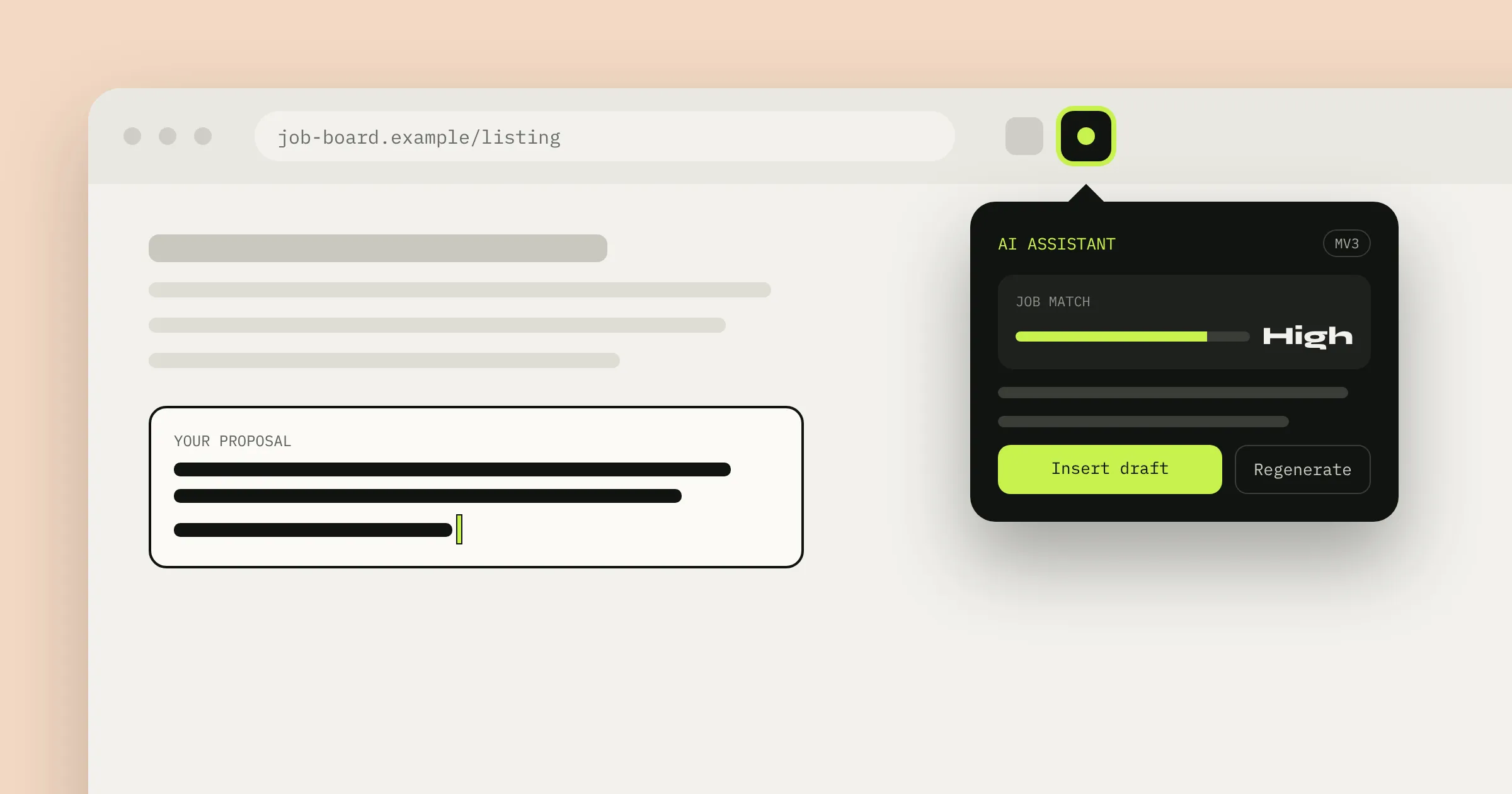
In February 2023 I co-founded an AI-powered SaaS for freelancers and agencies working on Upwork and became its CTO. The core of the product is a Chrome extension that analyses job posts and helps write proposals with AI, backed by a React web app for subscriptions, analytics and sync, plus workflow notifications to Slack and Telegram. You can read the broader story in the case study.
This post is the architecture write-up I wish I had on day one. Not the happy path from the documentation, but the walls we actually hit with Manifest V3, AI APIs and the Chrome Web Store review process, and how we worked around each one.
In short
- Keep every AI call on your backend: keys stay off the client, and caching, limits and model changes need no store review.
- Treat the MV3 service worker as a stateless router: state goes to storage, long generations run as server-side jobs.
- On a single-page host site, content scripts need their own screen detection and one data-access layer over a DOM you do not control.
- Store review can take days, so prompts, pricing, flags and model choice belong on the server.
- AI cost control comes from caching, model tiering and per-plan quotas enforced at the API.
Why architecture matters more than features here
If you are a founder or product leader considering an AI feature that lives in the browser, it is tempting to treat the extension as a small side project. It rarely is. The architectural choices you make in the first few weeks decide four things that show up later on the business side:
- Reliability. Manifest V3 changes how background code lives and dies. An architecture that ignores this produces bugs that only appear on real users’ machines, at random.
- Cost. Every AI call costs money. Where those calls are made, cached and limited determines whether your margins survive growth.
- Security. An extension ships to the user’s browser. Anything inside it, including API keys and business rules, should be considered public.
- Release speed. Every extension update goes through Chrome Web Store review, which can take days. The more logic lives in the extension, the slower you can change the product.
The rest of this article is about getting those four right.
The architecture at a glance
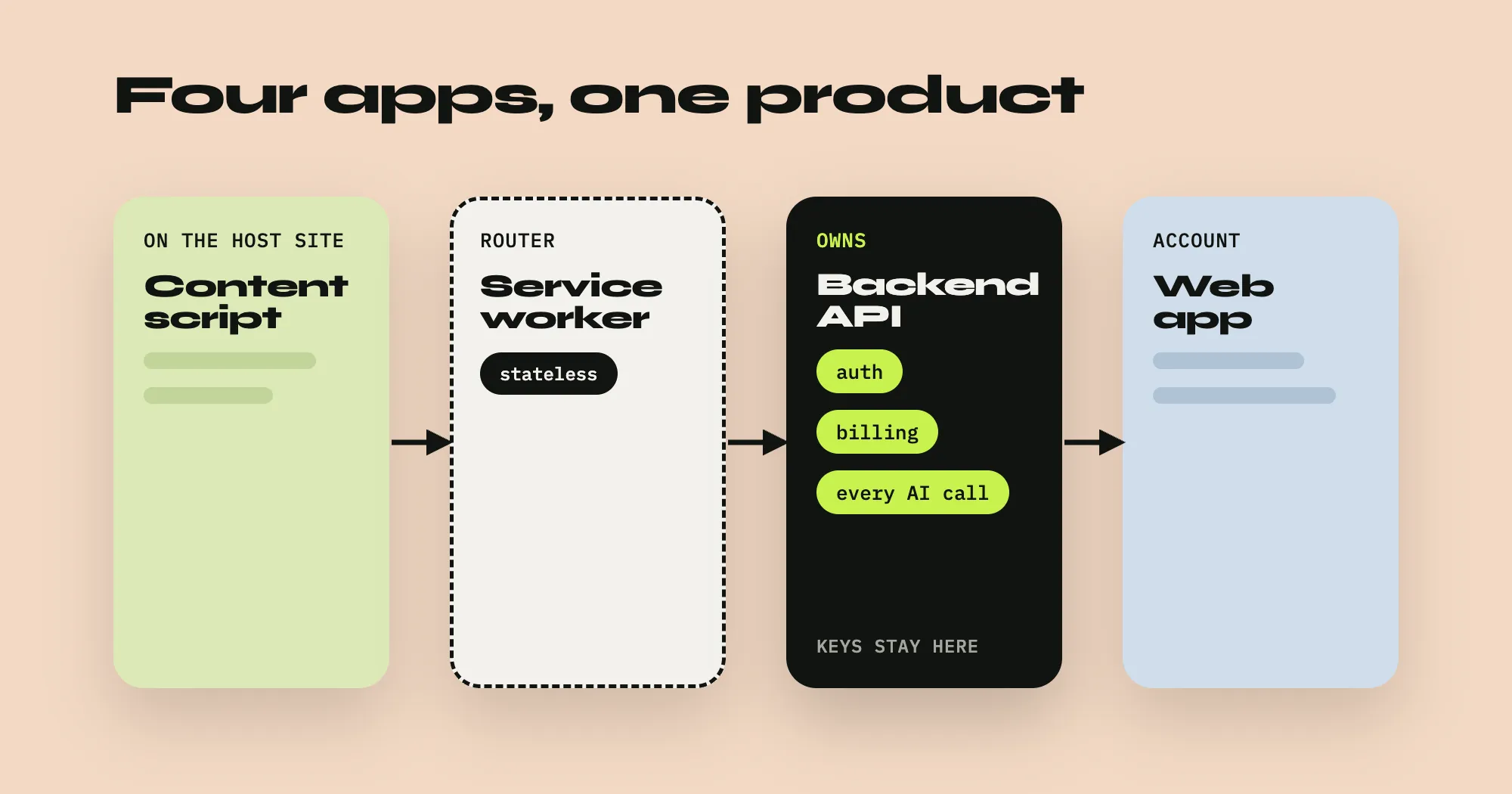
An AI extension is really four applications pretending to be one:
- Content scripts injected into the host site (in our case, Upwork pages), reading the DOM and rendering UI.
- A service worker, the MV3 replacement for background pages, routing messages and holding no state.
- A backend API that owns authentication, billing and every single AI call.
- A companion web app (React, in our case) for subscription management and analytics dashboards, kept in sync with the extension.
From practice
The single most important decision we made: no AI calls from the extension itself. Every LLM request goes through our backend. Keys never ship to the client, we can cache and rate-limit centrally, and we can switch model providers without shipping an extension update. That last point matters more than it sounds, because a store review can take days and a model or prompt change sometimes needs to happen today.
If you are weighing how to split responsibilities between a client and a backend in a product like this, it is the same discipline as any multi-surface SaaS build: one place owns the rules, everything else is a client.
Service workers are not background pages
The classic MV2 pattern of keeping state in a long-lived background page is gone. An MV3 service worker is terminated after a short period of inactivity (around 30 seconds), and it can be terminated mid-flight if you are careless.
What survived contact with production:
Treat the service worker as a stateless router
Anything that must persist goes to chrome.storage.session or chrome.storage.local immediately. If you find yourself writing let cache = {} at the top level of the worker, you have already written a bug. It just has not fired yet.
Long AI generations do not fit in a worker’s lifetime
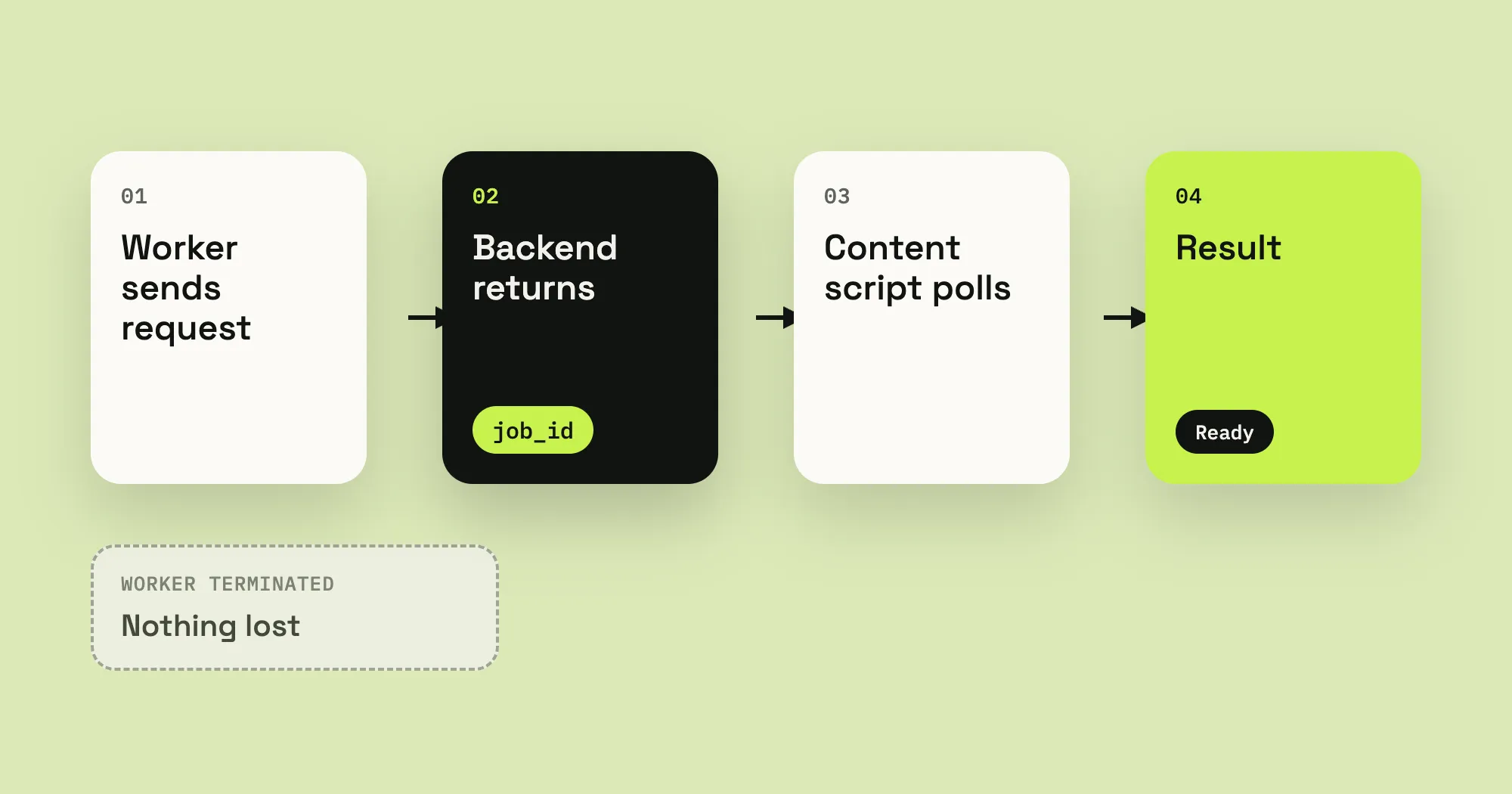
Generating a full proposal can take longer than you would want to keep a worker alive for. We moved to a job model: the worker sends a request to the backend, the backend responds immediately with a job id, and the content script polls (or receives a push) for the result. If the worker is killed in between, nothing is lost.
This pattern has a second benefit. Because the job lives on the server, the result can be delivered to more than one place, for example to the web app or a notification, without the extension having to be open.
Alarms over timers
Watch out
A setTimeout scheduled beyond the worker’s lifetime silently never fires. chrome.alarms is the scheduling primitive you can trust, because Chrome wakes the worker up to handle it.
Content-script isolation will surprise you exactly once
Content scripts run in an isolated world: they see the page’s DOM but not its JavaScript. On a heavily client-side-rendered site like Upwork, this bites in two ways.
The data you want is often in the page’s JS state, not the DOM
You either parse the DOM defensively or inject a script into the page’s main world and pass the data out through messages. We do both, depending on the surface. Each approach has a cost: DOM parsing breaks when markup changes, main-world scripts need careful handling so they do not interfere with the host page.
Single-page apps do not reload pages
Your content script boots once, and the site then navigates many times without a single page load. We ended up with a small router of our own: a MutationObserver-driven detector that answers one question, “which Upwork screen is the user on now?”, and mounts or unmounts our UI accordingly.
Plan for the host site to change
Budget real time for this. Selector-based scraping of a site you do not control is a maintenance treadmill. Ours is wrapped in a single data-access layer, so when the host site ships a redesign, the fix lands in one module instead of being spread across the codebase. For a product leader, this is the line item that most often gets missed in estimates: an extension that depends on a third-party UI carries ongoing maintenance, not just a one-off build cost.
Surviving Chrome Web Store review
Store review is the part nobody puts on the architecture diagram, and it is the part that can freeze your release train for a week. What helps reviews pass:
- Request the minimum permissions and justify every one. Broad host permissions such as
<all_urls>invite rejection. Scope to the domains you actually touch. - A privacy policy that matches reality. Reviewers check. If your extension sends page content to an AI backend, say so plainly.
- No remote code. MV3 bans it outright, and “clever” loaders get extensions pulled. All logic ships in the bundle; only data comes from the network.
- A plain-text note for reviewers explaining what the extension does and which account they can test with. In my experience it makes reviews smoother.
The deeper implication of slow reviews is architectural: move everything volatile server-side. Prompts, pricing logic, feature flags and model choice all live in the backend and can change in minutes.
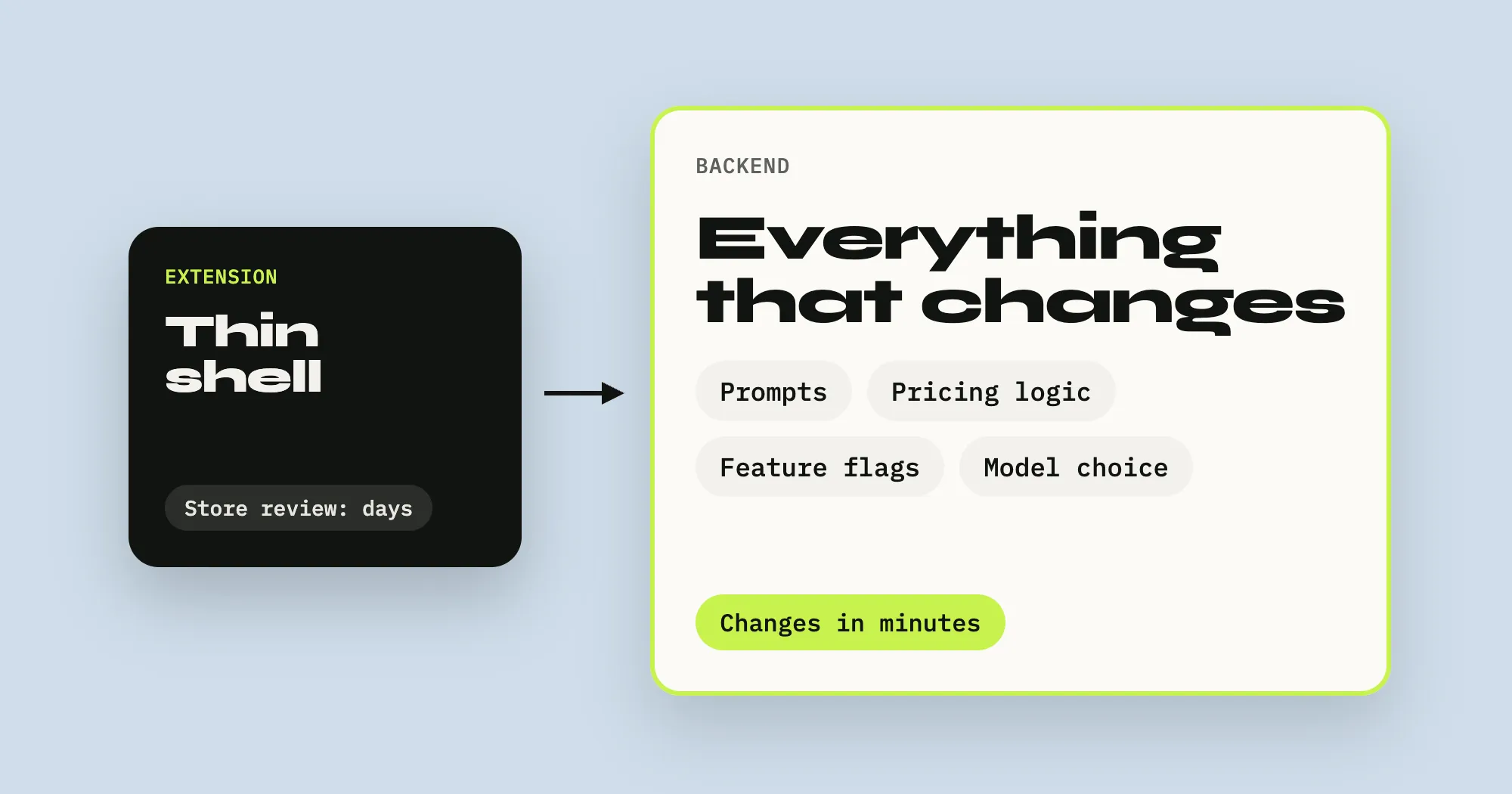
The extension becomes a thin, stable shell around a fast-moving service.
AI cost control is a product feature
LLM tokens come straight out of your margin. Three patterns keep the unit economics manageable:
Three patterns that keep AI costs in check
- Central caching. Identical or near-identical requests (the same job post, the same analysis type) hit a cache, not the model.
- Model tiering. Cheaper, faster models for classification and scoring; the more capable and expensive model only for the user-facing generation that justifies it.
- Hard ceilings per plan. Every subscription tier has explicit AI quotas enforced at the API layer, not in the extension, where enforcement can be bypassed by anyone with DevTools open.
None of these can be added cleanly if AI calls are made directly from the client. This is another reason the “backend owns every AI call” decision comes first. It is the same principle I apply to any AI and automation work: the model is a component behind your own API, with your own limits, logging and fallbacks around it.
What I would tell you before you start
- Design the extension as a thin client from day one. Store review latency makes fat clients expensive to iterate.
- Put a single abstraction over the host site’s DOM. It will change; only the abstraction should care.
- Accept that the service worker owns nothing. Storage owns state, the backend owns logic, the worker just routes.
- Ship crash and error telemetry from the first beta. Extension bugs reproduce on machines you will never see.
- Keep secrets and business rules off the client. Treat everything in the bundle as readable by anyone.
Getting an outside view on your AI feature
Most of the problems above are not hard once you know they exist. They become expensive when they are discovered after launch, when state is scattered across the worker, keys are in the bundle, or every prompt change waits on a store review.
If you are planning an AI-powered browser extension or adding AI features to an existing product, an independent review of the architecture before or early in the build is usually far cheaper than reworking it later. I am happy to look at your plans, ask the uncomfortable questions about reliability, cost and security, and help you decide what belongs in the client and what belongs on the server.